Forms
<TextField name="email" className="h-6 w-full rounded border border-gray-300 px-1" />
<Select name="plan" options={['Starter', 'Team']} value="Team" className="h-6 w-40 border" />
<List name="days" options={['Mon', 'Tue', 'Wed']} multiSelect value={['Mon', 'Wed']} className="w-40 border" />
<Checkbox name="terms" className="h-3.5 w-3.5 border" />
<Radio name="billing" value="yearly" checked className="h-3.5 w-3.5 rounded-full border" />
These are real AcroForm fields: readers fill them in any PDF viewer and save the file. name
must be unique, except for radio buttons of one group. TextField also takes multiline,
maxLength and password; size, border, background and text style come from the classes.
TextInput is another name for TextField.
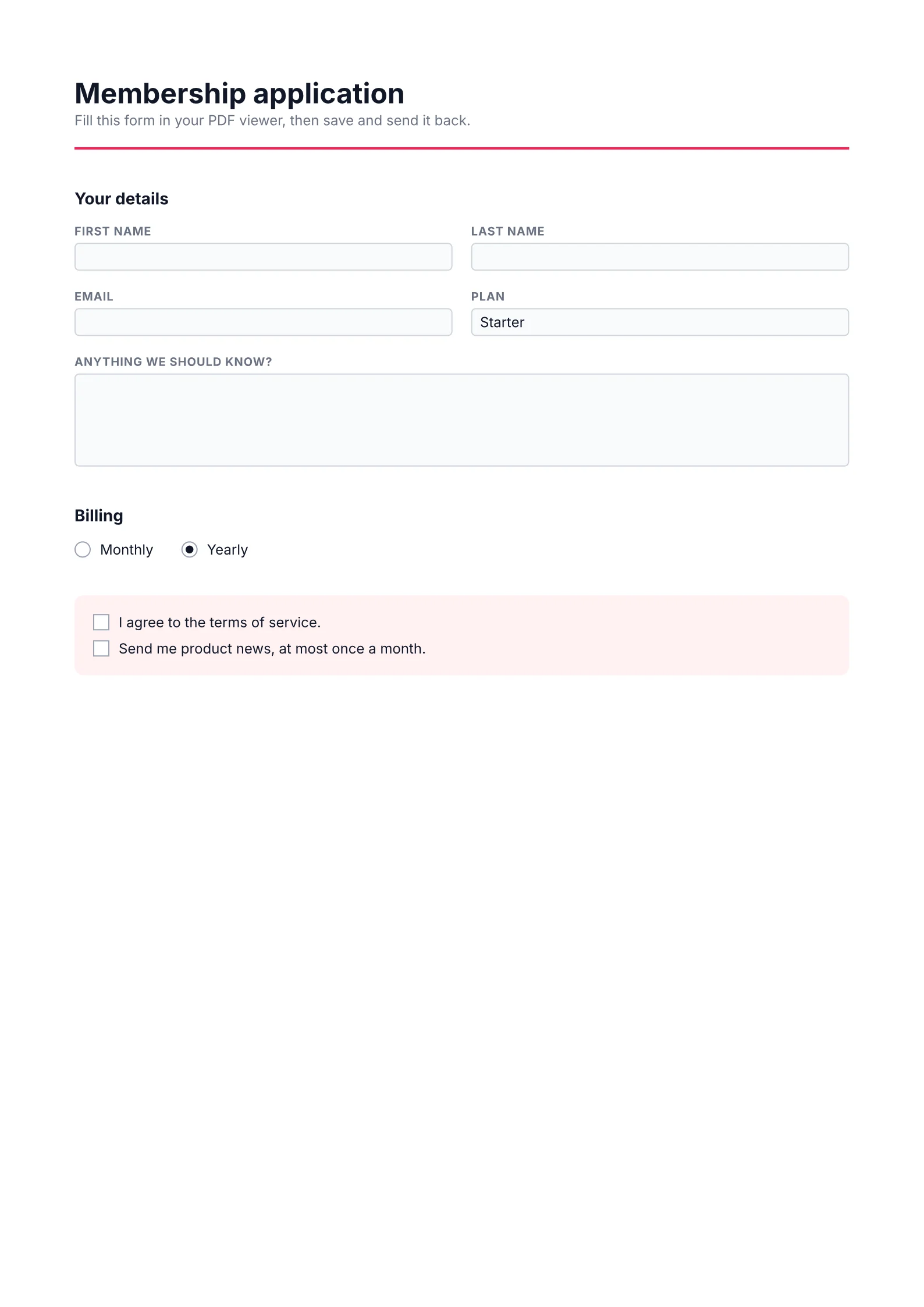
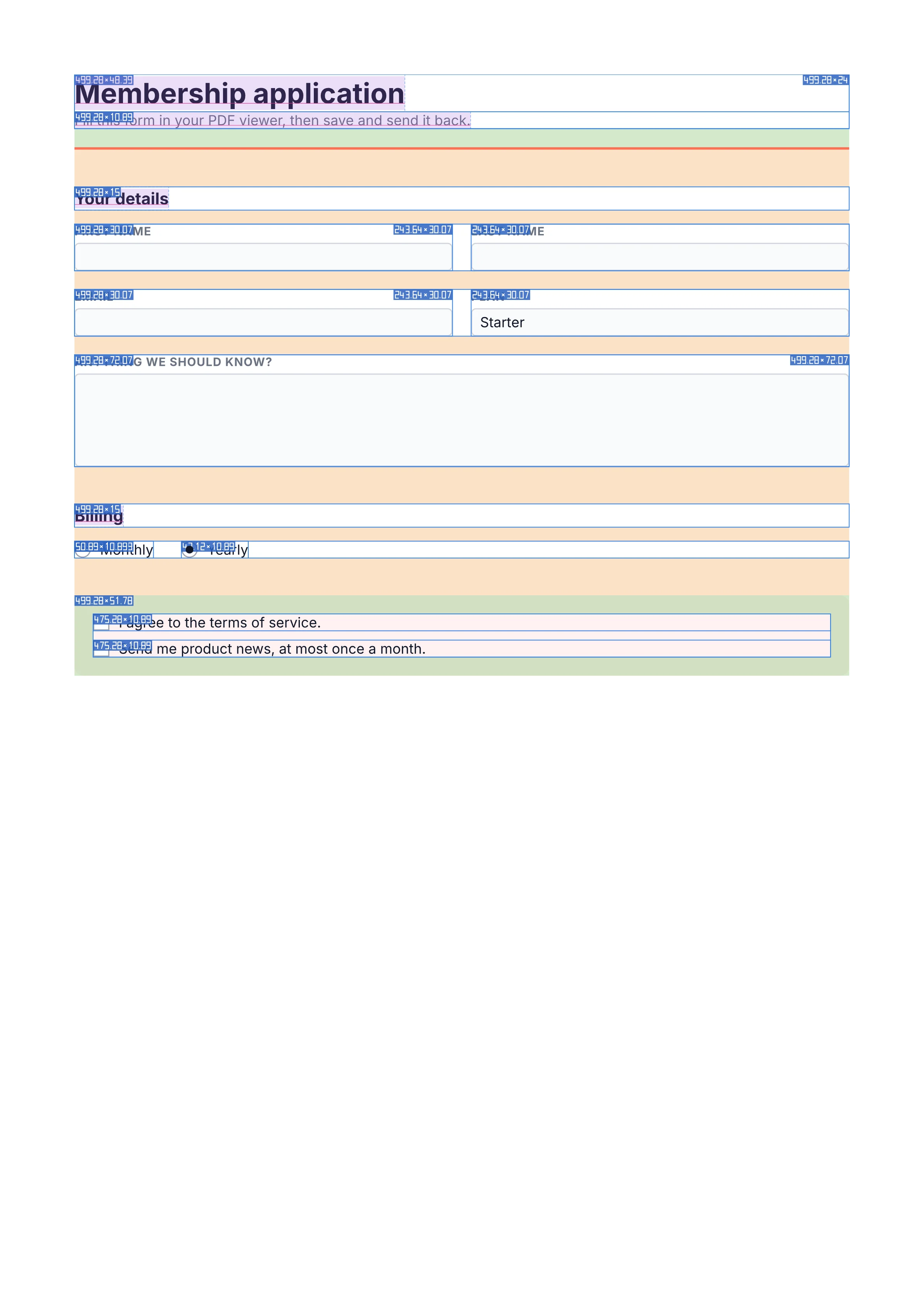
Switch to Layout for the boxes the engine laid out.
Drawn by the engine’s debug option, sizes in points.
A field's text, its value and the options of a Select or List, is drawn with the field's own
font only, a glyph per character, as viewers redraw it while the user types: no fallback fonts,
no shaping and no right-to-left ordering. A character the font lacks fails the render
(INVALID_VALUE at the value or the option), so give the field a font that covers its script.
Arabic, Hebrew and the scripts of India show their letters unjoined, in typed order.
Select is a drop-down list and List a list box, which shows several options at once (four
rows without a height) and starts at the first selected one. Both take their choices as
options, or select, and the selected one as value; a List with multiSelect takes an
array of them. Field is any of these, picked by its kind ("text", "checkbox",
"radio", "select", "list"), for forms built from data:
<Field kind={q.kind} name={q.name} … />.
A FieldSet groups fields: it is a View, with the same props (render too), whose name
goes in front of the name of every field inside it, at any depth. Viewers show and export the
fields by those full names, and sets nest:
<FieldSet name="billing" className="gap-2">
  <TextField name="street" />                 {/* billing.street */}
  <FieldSet name="contact">
    <TextField name="email" />                {/* billing.contact.email */}
  </FieldSet>
</FieldSet>
A dot in a field's own name does the same (name="billing.street"). A name is either a field
or a group: billing cannot also be a field when billing.street is one.
A single-line TextField takes a format, which it shows its value in and which viewers apply
as the user types:
<TextField name="fee" value="1250" format={{ type: 'number', currency: '$' }} />          {/* $1,250.00 */}
<TextField name="rate" value="0.125" format={{ type: 'percent', decimals: 1 }} />         {/* 12.5% */}
<TextField name="start" value="2026-10-14" format={{ type: 'date', pattern: 'd mmm yyyy' }} /> {/* 14 Oct 2026 */}
<TextField name="phone" value="5551234567" format={{ type: 'phone' }} />                   {/* (555) 123-4567 */}
type | value | Options |
|---|---|---|
number | digits, as '-1234.5' | decimals (default 2, rounded half away from zero), separators ('1,234.56', '1234.56', '1.234,56', '1234,56'), negative ('minus', 'red', 'parens', 'parensRed'), currency and currencyBefore (default true) |
percent | a fraction, as '0.125' | decimals, separators |
date | '2026-10-14', with an optional time (T18:30) | pattern (required) |
time | '18:30' or '18:30:05', or a date with a time | pattern (required) |
zip, zipPlus4, phone, ssn | 5, 9, 10 or 9 digits | none |
A pattern is at most 64 characters of d, dd, ddd (Wed), dddd (Wednesday), m, mm,
mmm (Oct), mmmm (October), yy, yyyy, H, HH (0–23), h, hh (1–12), M, MM
(minutes), s, ss, t (a/p), tt (am/pm) and the characters .,/:-; names are English.
A time pattern takes only the time letters, H, h, M, s and t. Viewers apply the
format with the standard form scripts, which some (Preview) do not run; a PDF/A document leaves
the scripts out and keeps the formatted text.
The keys nDec, sepComma (true is '1,234.56', false '1234.56'), negStyle
('MinusBlack', 'Red', 'ParensBlack', 'ParensRed'), currencyPrepend and param are
other names for decimals, separators, negative, currencyBefore and pattern, and
zip4 for zipPlus4. A number or percent format with any of them defaults to no decimals and
no thousands separator, so { type: 'number', currencyPrepend: true } shows '1250' as
1250; without them, to 2 decimals and '1,234.56'. On a time, param is a style: 0 (HH:MM), 1 (h:MM tt), 2
(HH:MM:ss) or 3 (h:MM:ss tt).
Synced from packages/render/GUIDE.md in the inkoxide repository.