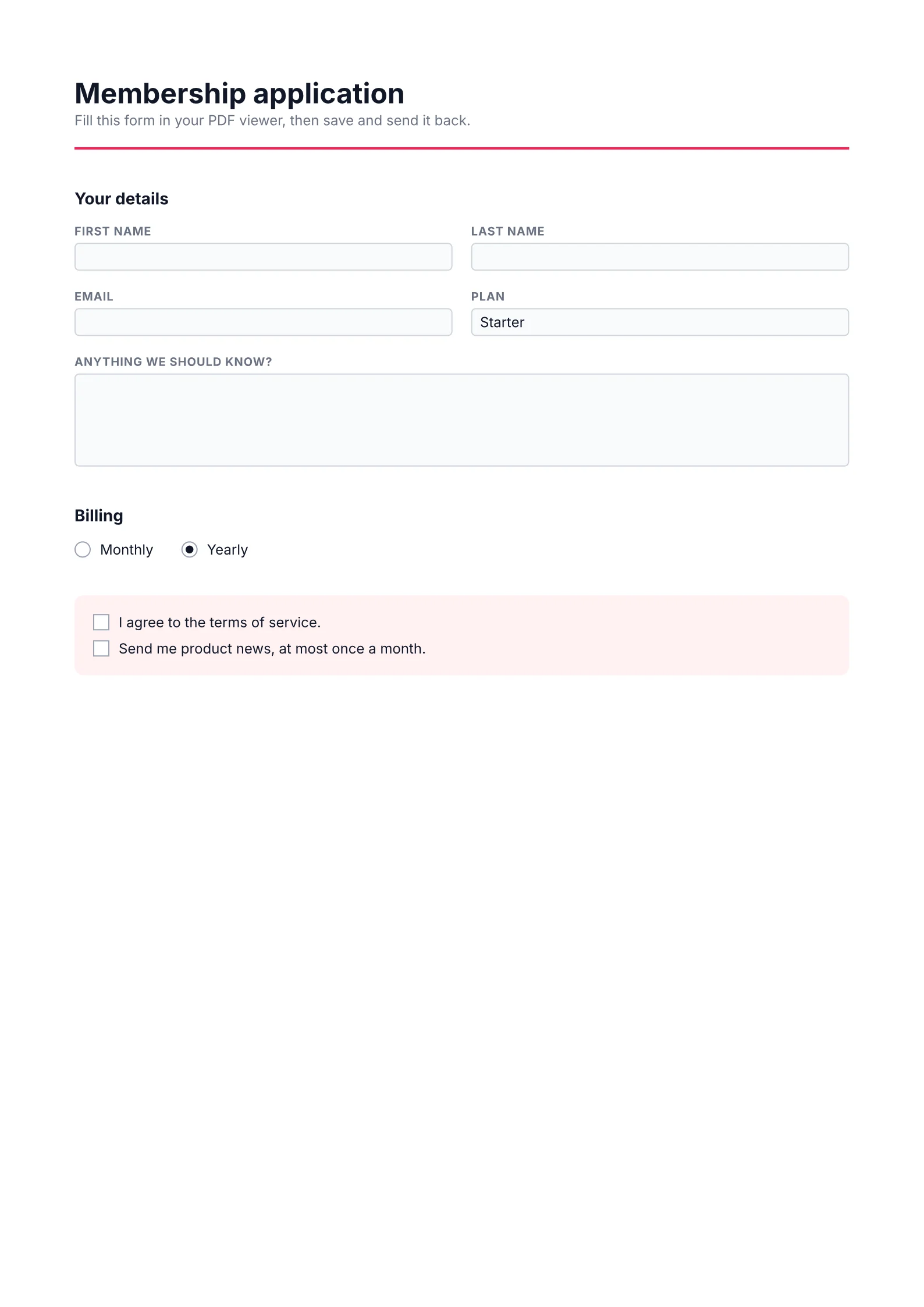
Fillable form: source and rendered PDF
Playground/1.2 ms on Apple M4 Pro, at buildRendered at build · 1.2 ms on Apple M4 Pro · 1 page · 46.3 KiB
form.tsx
import { realpathSync } from 'node:fs';

import {
  Checkbox,
  Document,
  Page,
  Radio,
  renderToFile,
  Select,
  Text,
  TextField,
  View,
} from '@inkoxide/render';

export interface FormProps {
  title: string;
  plans: string[];
}

const input = 'h-6 w-full rounded border border-gray-300 bg-gray-50 px-1 text-[9pt]';

function Field({ label, children }: { label: string; children: React.ReactNode }) {
  return (
    <View className="flex-1 gap-1">
      <Text className="text-[7.5pt] font-bold uppercase tracking-wider text-gray-500">{label}</Text>
      {children}
    </View>
  );
}

/** A fillable PDF form: the fields can be typed into in any PDF viewer. */
export default function Form({ title, plans }: FormProps) {
  return (
    <Document title={title}>
      <Page size="A4" className="p-16 text-[9pt] text-gray-900">
        <View className="mb-8 border-b-2 border-rose-500 pb-4">
          <Text className="text-2xl font-bold">{title}</Text>
          <Text className="text-gray-500">
            Fill this form in your PDF viewer, then save and send it back.
          </Text>
        </View>

        <Text className="mb-3 text-sm font-bold">Your details</Text>
        <View className="mb-4 flex-row gap-4">
          <Field label="First name">
            <TextField name="firstName" className={input} />
          </Field>
          <Field label="Last name">
            <TextField name="lastName" className={input} />
          </Field>
        </View>
        <View className="mb-4 flex-row gap-4">
          <Field label="Email">
            <TextField name="email" className={input} />
          </Field>
          <Field label="Plan">
            <Select name="plan" options={plans} value={plans[0]} className={input} />
          </Field>
        </View>
        <View className="mb-8">
          <Field label="Anything we should know?">
            <TextField
              name="notes"
              multiline
              className="h-20 w-full rounded border border-gray-300 bg-gray-50 p-1 text-[9pt]"
            />
          </Field>
        </View>

        <Text className="mb-3 text-sm font-bold">Billing</Text>
        <View className="mb-8 flex-row gap-6">
          {['Monthly', 'Yearly'].map((period) => (
            <View key={period} className="flex-row items-center gap-2">
              <Radio
                name="billing"
                value={period}
                checked={period === 'Yearly'}
                className="h-3.5 w-3.5 rounded-full border border-gray-400"
              />
              <Text>{period}</Text>
            </View>
          ))}
        </View>

        <View className="gap-2 rounded-lg bg-rose-50 p-4">
          {['I agree to the terms of service.', 'Send me product news, at most once a month.'].map(
            (label, i) => (
              <View key={label} className="flex-row items-center gap-2">
                <Checkbox name={`consent${i}`} className="h-3.5 w-3.5 border border-gray-400 bg-white" />
                <Text>{label}</Text>
              </View>
            ),
          )}
        </View>
      </Page>
    </Document>
  );
}

export const sample: FormProps = {
  title: 'Membership application',
  plans: ['Starter', 'Team', 'Enterprise'],
};

if (process.argv[1] && realpathSync(process.argv[1]) === import.meta.filename)
  await renderToFile(<Form {...sample} />, 'form.pdf');
Edit the source and the PDF renders again, in this browser: the engine runs as WebAssembly in a Web Worker. How it works
form.pdf
1.2 ms on Apple M4 Pro, at buildRendered at build · 1.2 ms on Apple M4 Pro · 1 page · 46.3 KiB
Page 1 / 1